
Welcome to the Harvest Network
We look forward to you joining us in an online community where Christians can connect with other disciple-makers, access training, and stay updated with the Harvest.
Follow these 4 easy steps:
1. Create your account
2. Join a group
3. Download the app
4. Log in to the app with your new login details
Instructions For Joining the Network
In order to utilise the app, you'll first need to create an account and request to join a community.
Then you can download the app and log in.
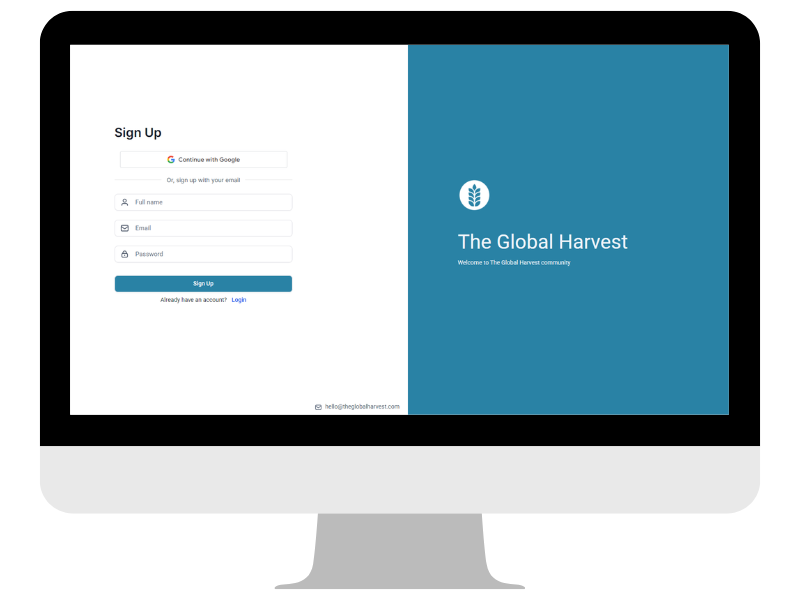
Step 1: Create an account
Visit the login page.
If you don't already have an account with us - click "Create Account".
If you do already have an account - log in with your existing credentials,.
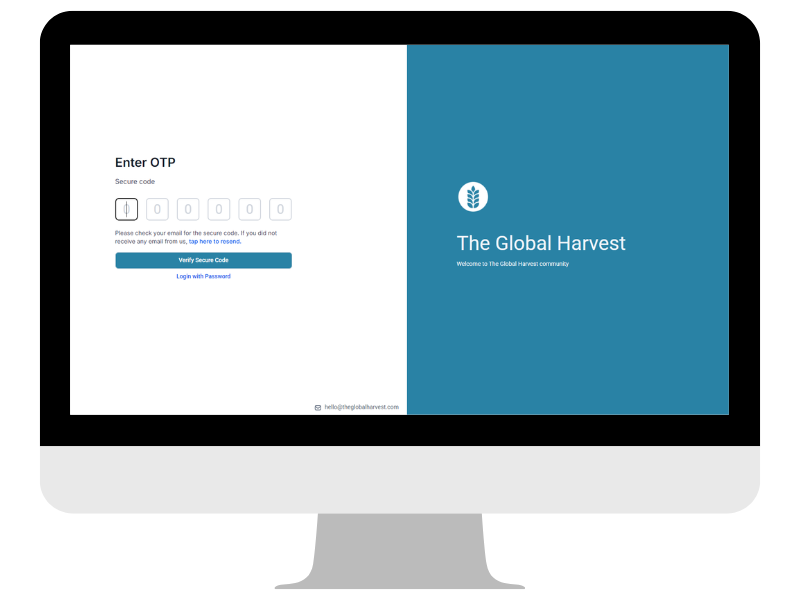
Step 2: Verify email
Once you've created your login, you'll be emailed a one time passcode (OTP).
Enter this OTP to verify your account.
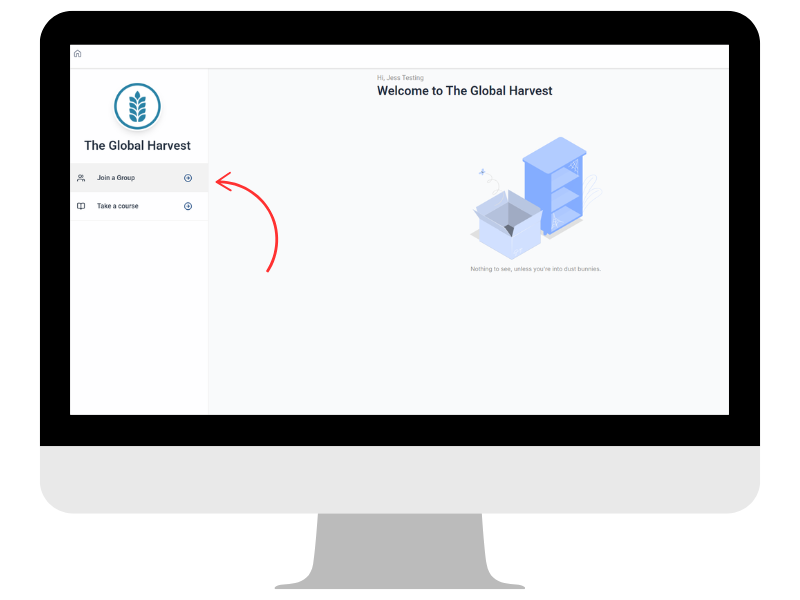
Step 3: Join a community
Once logged in, click on "Join a Group" on the left of the page.
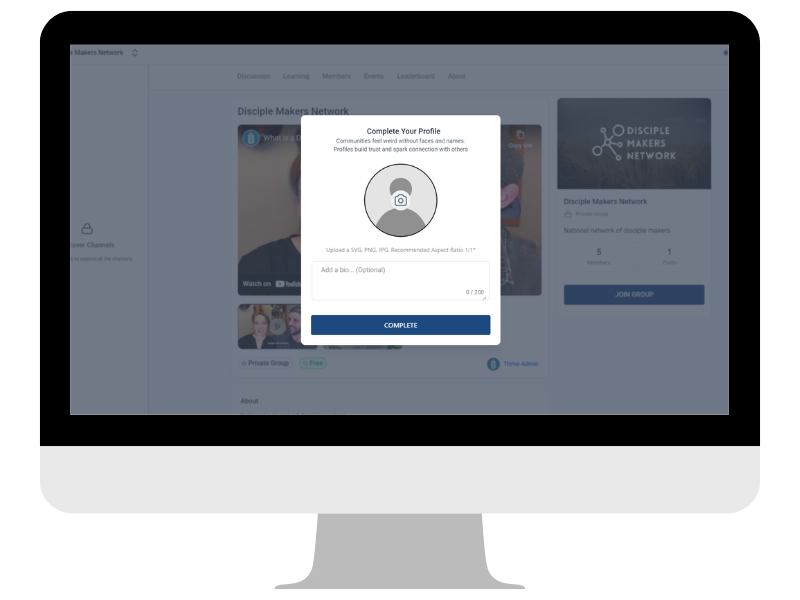
Step 4: Complete your profile
You'll be prompted to complete your profile.
Please add a photo of yourself, and a short bio you're happy to have publicly visible.
Keep it short and sweet.
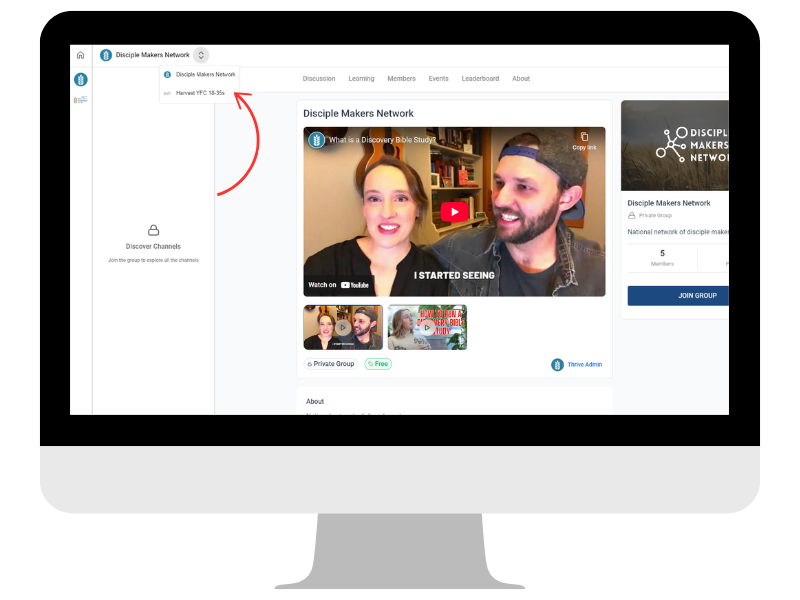
Step 5: Select your group
There are 2 networks/communities to select from.
You'll be dropped on the Disciple Maker Network first, however if you're under 35 years of age, please click on the arrow indicated in the screenshot above and select the Harvest YFC 18-35 Network instead.
Option 1: Disciple Maker Network - designed for Disciple Makers who are aged 36+.
Option 2: Harvest YFC 18-35 Network - designed for Disciple Makers who are aged between 18 and 35.
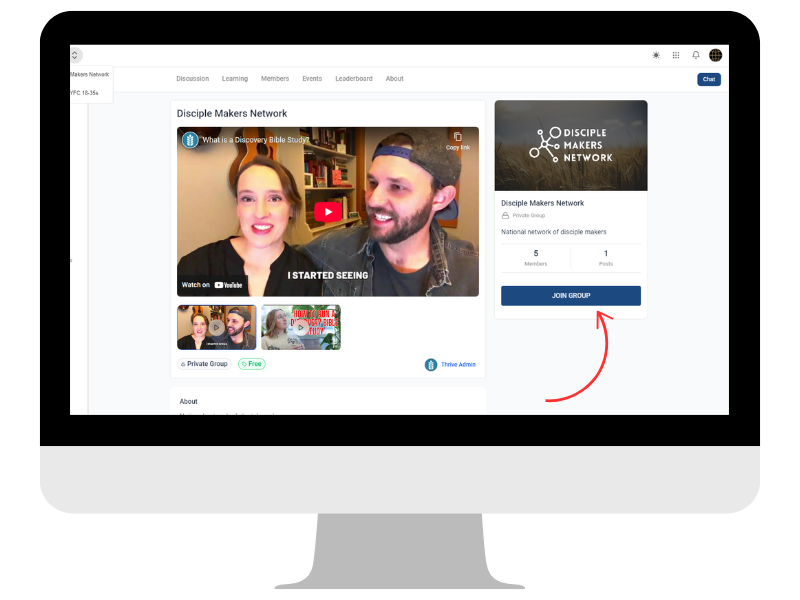
Step 6: Request to join group
Click on the "Join Group" button to request to join whichever group is most appropriate for you.
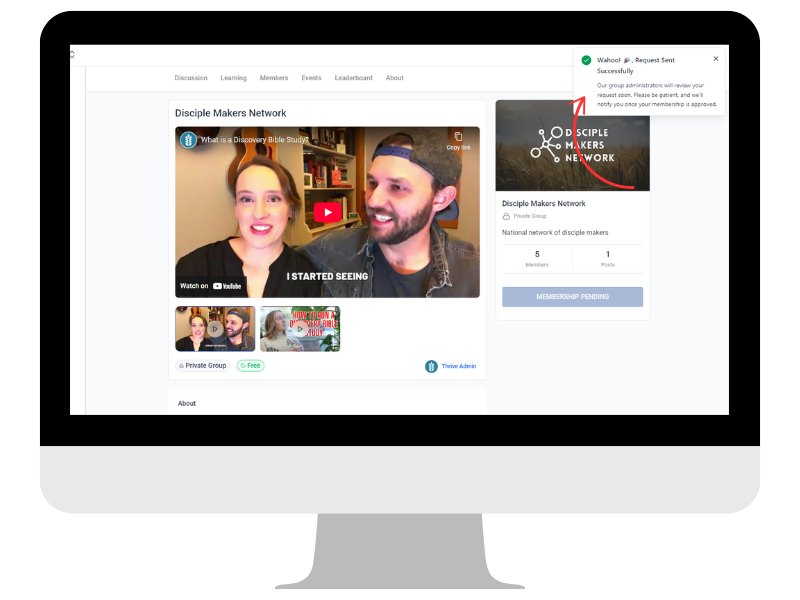
Step 7: Confirm request sent
Once you've requested to join, a pop up will show you the request has been sent. Our team will review your request and you'll receive an email when you've been approved.
Now you can download the app.
Follow the instructions below.
App Instructions
After you've been approved to join one of the communities, you're invited to use our new app to access the network on the go.
Step 1: Download the app
Download the app from the stores below


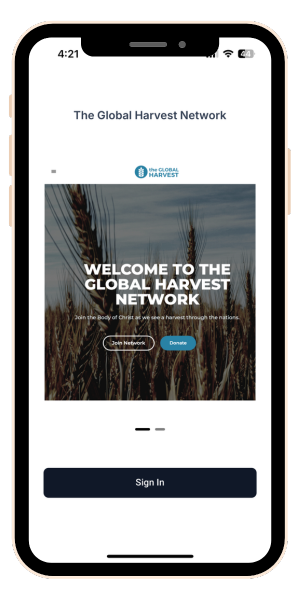
Step 2: Sign In
Once downloaded, click the Sign In button
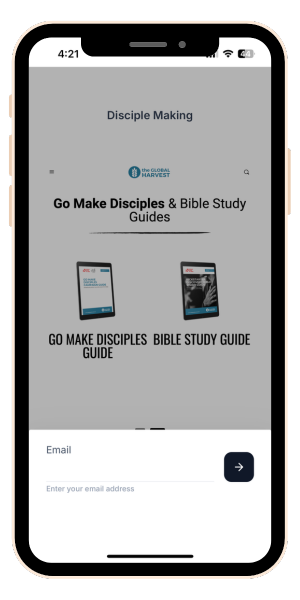
Step 3: Enter your email
Use the credentials you set up for your account previously
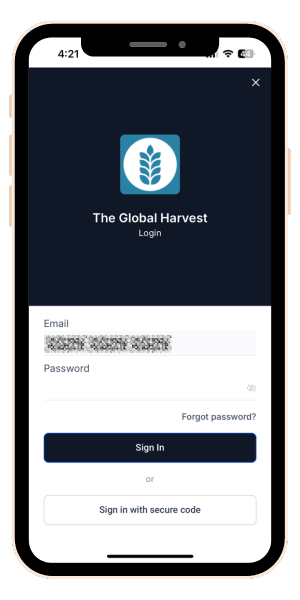
Step 4: Enter your password
Use the credentials you set up for your account previously
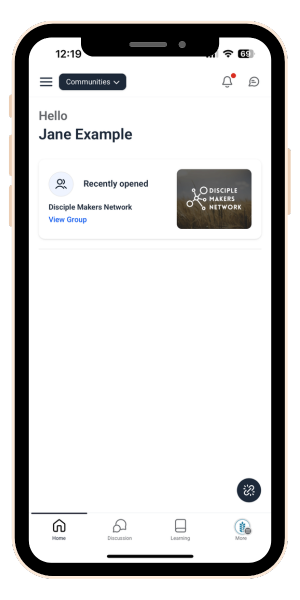
Step 5: Home page
Here you'll see your recently accessed group/s so you can easily access them
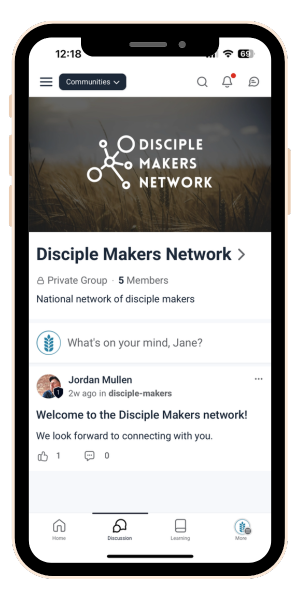
Step 6: Discussions page
Here you'll find the conversations happening in the group you selected
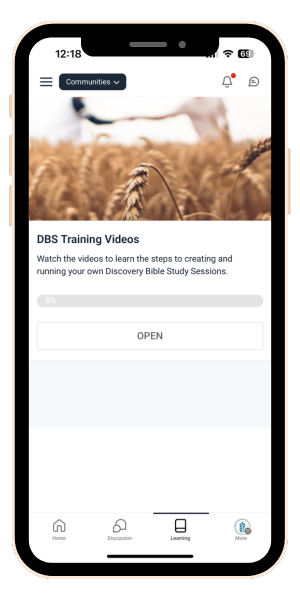
Step 7: Learning
View the available training courses